Visualizzazione post con etichetta windows phone. Mostra tutti i post
Visualizzazione post con etichetta windows phone. Mostra tutti i post
lunedì 12 maggio 2014
Great news for developers

Microsoft released Visual Studio Update 2 RTM:
download the web installer
download the offline installer (iso image)
check the full log
The official Windows Phone 8.1 beta for Sqlite extension is out:
download Sqlite extension
Want more?
Telerik gives a free license for Windows Phone and Windows 8 controls:
claim your license
Now it's time to develop Windows Phone 8.1 applications and universal apps :)
[EDIT 15 may]:
A special offer also from Syncfusion:
get wp controls for only 1$

venerdì 14 marzo 2014
Windows Phone 8 Development Succinctly - Free ebook
 I'm so glad to announce the new free ebook from Syncfusion:
Windows Phone 8 Development Succinctly
This ebook is written by my friend Matteo Pagani and you can download 243 pages in PDF or Kindle format.
Before starting, please remember: if you are a beginner in development, this ebook is not for you. You need to know the basic concepts of the C# programming.
This book covers all the features of Windows Phone so it's also a good read if you are new in wp development.
Main chapters:
- Introduction:
- The User Interface: Basic XAML Concepts
- Core Concepts
- Data Access: Storage
- Data Access: Network
- Integrating with the Hardware
- Integrating with the Operating System
- Multimedia Applications
- Live Apps: Tiles, Notifications, and Multitasking
- Distributing the Application: Localization, the Windows Phone Store, and In-App Purchases
Pro
- free! :)
- easy and fast to read
- all development cycle
- a lot of samples and tips
- Kindle format
- finally an ebook that explains all storage approaches
Meanwhile you can download the Syncfusion wp controls (now at special price) to make more fast your development. Hurry up! ;)
domenica 2 marzo 2014
Windows Phone 8 - WriteableBitmap and app resume

When I upgraded my WP7 projects to Windows Phone 8, I discovered a strange behavior.
I usually update the tiles in the Application_Deactivated and Application_Closing event, but in wp8 the app crashes while it resumes.
The tiles were created in the storage, so all works good.
The problem seems related to the WriteableBitmap.Render method. I don't know why it blocks the UI thread!
If you have the same behavior, you can use a workaround:
In the App.xaml.cs add the Navigating event in the InitializePhoneApplication method
RootFrame.Navigating += RootFrame_Navigating;
Use the app://external/ string to know when you are exiting from the application
void RootFrame_Navigating(object sender, NavigatingCancelEventArgs e)
{
 if(e.Uri.OriginalString=="app://external/")
 {
  // update my custom tiles
 }
}
lunedì 13 gennaio 2014
WPDev Fusion - A new wp community
After the great success of Windows Phone Week from last october, a new evolution is born:
WPDev Fusion the Windows Phone community with the best MVPs in the world.

If you like mobile development or Windows Phone, this is the event for you!
The first event is scheduled on 22nd january. It is free and online:
https://wpdevfusion.eventday.com/
The sessions are:
- Utilizing the Speech API by Maciej Grabek
- Local data access in Windows Phone by my friend Matteo Pagani
- Mapping Tips and Tricks by Joost van Schaik
- An App - No Code: The Microsoft App Studio by Peter Nowak
- Sharing Data between W8 and WP8: Skydrive for developers by Ginny Caughey
[UPDATE]
Recording, slides and samples
sabato 4 gennaio 2014
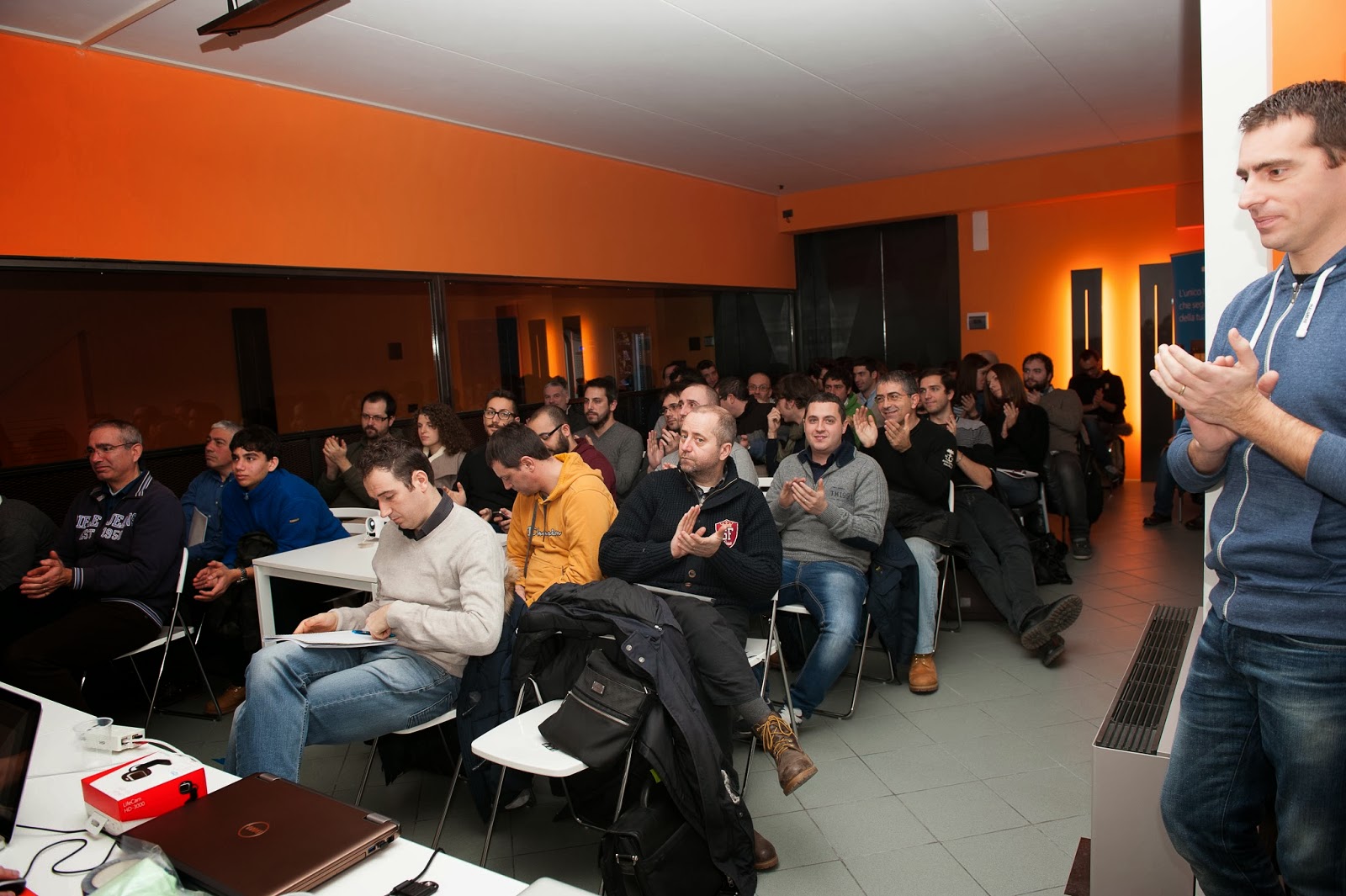
Mokapp 2013 - Thanks

Yes, we are in 2014.. and I'm really sorry for delay..
I want to thank all those who attended the Mokapp 2013 event.
A great day with great people.
Thanks to our sponsors and speakers.
And a special thanks to Syncfusion who gave free licenses to the new Windows Phone developers.
Demo and slides are online:
- iOS7 - Multitasking e Dynamics - Daniele Galiotto - slide & demo
- WP8 - Storage - Tiziano Cacioppolini - slide & demo
- Android - Sviluppare con MVVM - Lorenzo Maiorfi - slide & demo
- iOS7 - iBeacons e le novità di BLE - Francesco Novelli - slide & demo
- WP8 - Imaging, applicazioni fotografiche - Fabrizio Bernabei - slide & demo
- iOS7 WP8 Android - Side-by-side, sviluppo crossplatform - demo




sabato 30 novembre 2013
XMAS TIME - Get a Lumia 925 for free

Do you want a Lumia 925 for Christmas?
Thanks to DVLUP you can get it easy :)
Check the new xmas challenge!
You just need to create 3 new applications for Windows Phone 8 and 3 new apps for Windows 8.
When you reach 4 apps (2 wp8 + 2 win8) you get 800XP to spend in rewards.
You don't have the DVLUP account? Just register from this link.
The submission ends the 24th december.
And if you register to dvlup from my link, I can get 500xp too.
Merry Xmas :D
sabato 16 novembre 2013
[ITA] Dal 920 al Lumia 1020

Che dire... Il Lumia 1020 subentra di prepotenza con il suo colore giallo.
La prima impressione è sicuramente molto positiva, non solo per l'impatto visivo, ma anche per la maneggevolezza. Quei 30 grammi in meno rispetto al 920 fanno la differenza. Sfortunatamente per chi è abituato alla ricarica wireless, dovrà comprare una cover apposita o rinunciarci per sempre.
Lo schermo è passato da LCD ad AMOLED: la qualità si nota considerevolmente, specialmente nella profondità dei neri. Il vetro passa da Gorila Glass 2 a Gorilla Glass 3, e come succedeva già prima, alla minima rigatura, puoi passarci la mano sopra per farlo tornare come nuovo.
L'amoled riesce a valorizzare ancora di più la funzionalità Glance (l'orologio che comprare a telefono bloccato), che adesso è nettamente più definita e visibile anche a diverse angolazioni.
Sul retro del dispositivo alloggia l'imponente fotocamera che occupa una buona parte della superficie, ma che enfatizza l'entità dei 41 megapixel. Sfortunatamente la fotocamera sporge e fa si che il telefono non tocchi interamente sul piano di appoggio. Dall'altro lato però, è molto più semplice visualizzare l'ora senza avvicinarsi al telefono.
QUARANTUNO megapixel!! Ogni foto viene scattata sia con risoluzione normale da 5mp sia a 41mp. La prima viene utilizzata per tutte le attività del telefono e per la condivisione nei social network, l'altra può essere visualizzata dal pc o con applicazioni apposite.
La luminosità e la precisione del sensore sono di alto livello ed in abbinamento con l'applicazione Nokia Camera, sembra di avere tra le mani una reflex. Il tutto viene amplificato dal Camera Grip, un accessorio che trasforma il telefono in una compatta con batteria ausiliaria e la possibilità di utilizzare il device con un cavalletto. Il Camera Grip offre molti vantaggi, ma ha anche un difetto: anche se molto resistente, per toglierlo bisogna forzare parecchio e quindi si ha sempre l'impressione di romperlo.
Il 920 dava il meglio di sé con le foto in notturna, ma sono rimasto meravigliato dalla qualità che sono riusciti a raggiungere con il 1020. Il flash è tre volte più grande e potente del precedente e viene affiancato dalla lampada della messa a fuoco.
Posso quindi affermare che questo device regna sovrano nel reparto fotografico, specialmente se paragonato ai vari concorrenti.
Il sistema operativo è sempre Windows Phone 8, ma stavolta accompagnato da un hardware con 2gb di memoria. Veloce, scattante ed esente dai problemi di lag che hanno i device android e ultimamente gli iPhone con iOS7.
L'autonomia è paragonabile a quella del 920 e monta sempre una batteria da 2000mAh. Sinceramente la mia impressione è che duri di più rispetto a prima, ma non voglio fare un paragone per il fatto che il 920 ha già più di un anno di età.
Posso concludere affermando che il passaggio dal 920 al 1020 è nettamente positivo, anche se avrei preferito mantenere la ricarica wireless e magari il colore azzurro :)
A questo link trovate alcune foto di prova.
martedì 12 novembre 2013
Syncfusion TileView - Windows Phone
I found a nice Windows Phone control in the Syncfusion suite: the TileView.
That control has the ability to show a collection of items but one can be maximized to display more informations.


The code is very simple, so let's start to explain the wp8 version!
First of all you need to reference two dll in your project:
- Syncfusion.SfTileView.WP8.dll
- Syncfusion.SfShared.WP8.dll
xmlns:syncTileView="clr-namespace:Syncfusion.WP.Controls.Layout;assembly=Syncfusion.SfTileView.WP8"and your TileView object:
<syncTileView:SfTileView ItemsSource="{Binding ComingSoonFilms}" MinimizedItemsOrientation="Right">
   ....
   ....
   ....
</syncTileView:SfTileView>
"MinimizedItemsOrientation property change the orientation of items while the maximized item is displayed"Now you need the ItemTemplate to show your items and a MaximizedItemTemplate to show the detail.
You can create a simple ItemTemplate with an image:
<syncTileView:SfTileView.ItemTemplate>
 <DataTemplate>
  <Image Source="{Binding Picture}" Width="100" Height="160" Stretch="Fill"/>
 </DataTemplate>
</syncTileView:SfTileView.ItemTemplate>
and a MaximizedItemTemplate like this:
<syncTileView:SfTileView.MaximizedItemTemplate>
 <DataTemplate>
  <Grid>
   <Grid.RowDefinitions>
    <RowDefinition Height="auto"/>
    <RowDefinition/>
   </Grid.RowDefinitions>
   <TextBlock Text="{Binding Title}" Style="{StaticResource PhoneTextLargeStyle}"/>
   <Image Grid.Row="1" Source="{Binding Picture}" Stretch="UniformToFill"/>
  </Grid>
 </DataTemplate>
</syncTileView:SfTileView.MaximizedItemTemplate>
martedì 1 ottobre 2013
DVLUP - Support ALL Windows Phone 8 screen resolutions

The DVLUP is web-based community and rewards program for Windows Phone app developers.
The developers can complete challenges to get points and then get prizes.
Very nice! But...
what is the challenge requirement "Support ALL Windows Phone 8 screen resolutions"?
It creates a lot of confusion to devs:
- It needs a wp8 app?
- I can submit a wp7 app?
- My app needs both xap versions?
- I need multiple splashscreen?
- The app needs icons and tiles with high resolution?
The answer from DVLUP team:
"The challenge requirement to support all Windows Phone 8 screen resolutions is to cover the different screen sizes on the different Lumia phones (HD720P (720x1280), WVGA (480x800) and WXGA (768x1280)).
A Windows Phone 7 app may run in these resolutions but be scaled and not use the entire screen. The challenge requirement as that the app use the full screen without scaling or cropping."
A Windows Phone 7 app may run in these resolutions but be scaled and not use the entire screen. The challenge requirement as that the app use the full screen without scaling or cropping."
venerdì 13 settembre 2013
Force binding update for a TextBox

The TextBox control updates the Text binding source only when it looses focus.
When you are writing in a TextBox and you press a button in the ApplicationBar, the focus not changes and your MVVM property doesn't update.
The workaround is to force the binding update like this:
var focusedElement = FocusManager.GetFocusedElement();
var focusedTextBox = focusedElement as TextBox;

if (focusedTextBox != null)
{
    var binding = focusedTextBox.GetBindingExpression(TextBox.TextProperty);
    if (binding != null)
        binding.UpdateSource();
}
sabato 7 settembre 2013
Install Nokia Pro Camera with Amber
If you can't download Nokia Pro Camera like me...

Here an easy workaround:
- Change your phone region and language to United States
- Connect to a WiFi network
- Under Settings - WiFi, click on the WiFi network you are connected to
- Switch 'Proxy' to on. Now type "117.135.139.179" into "Server/URL". In "Port", type in "8888"
- Go to the Store and click on 'Nokia Collection'
- Download Nokia Pro Cam
- When the download started, turn Proxy off
- Set your phone region back to normal, and Restart.
martedì 3 settembre 2013
The Next Chapter: Microsoft and Nokia

"Important news today: an agreement for Microsoft to purchase Nokia’s Devices & Services business, to deliver more choices, faster innovation, and even more exciting devices and services to our customers."
Read the complete post..
giovedì 15 agosto 2013
String format in Xaml
When you need to concatenate some strings in a TextBlock you can use the tag like Run.
Silverlight 4 has introduced an useful feature to make this more easy: StringFormat.
Now you can put more informations in a single element.
The code is very simple:
and it works also with numbers and dates:
You can check more details in the Kunal's blog

Silverlight 4 has introduced an useful feature to make this more easy: StringFormat.
Now you can put more informations in a single element.
The code is very simple:
<TextBlock Text="{Binding Username, StringFormat='Hello \{0\}'}" />
<TextBlock Text="{Binding Temperature, StringFormat=\{0\}°}" />
and it works also with numbers and dates:
<TextBlock Text="{Binding Value, StringFormat=\{0:n2\}}" />
<TextBlock Text="{Binding Value, StringFormat=\{0:c2\}}" />
<TextBlock Text="{Binding Date, StringFormat=f}" />
You can check more details in the Kunal's blog
lunedì 15 luglio 2013
Our 5 favourite new Windows Phone apps of the week

Today myMoneyBook is featured in Nokia's blog: Our 5 favourite new Windows Phone apps of the week.
Thank you so much Nokia!
domenica 14 luglio 2013
TechNet Guru Awards - June 2013 - Windows Phone
After some hard work, I won the TechNet Guru Award - June 2013 for Windows Phone category:
http://blogs.technet.com/b/wikininjas/archive/2013/07/10/technet-guru-awards-june-2013.aspx
Here my article: Maps and Clusters
Thank you!

http://blogs.technet.com/b/wikininjas/archive/2013/07/10/technet-guru-awards-june-2013.aspx
Here my article: Maps and Clusters
Thank you!
sabato 29 giugno 2013
Windows Phone 8 - Map and Clusters
This code example demonstrates how to dynamically group pushpins in the map control.
There is a lot of code for Windows Phone 7, then I merged all what I need to create a project for WP8.

First of all you need some namespace declaration: for map control and for pushpins from WP Toolkit.
You need also two templates: one for a standard pushpin and the other for the cluster.
ClustersGenerator is the core of the project. It's a static class that accepts in input
Every map event launches the pushpins elaboration, but first to explain GeneratePushpins method, let's introduce another class: PushpinGroup.
PushpinGroup represents a standard pushpin or a cluster, and exposes a GetElement method to return them. If the group is a cluster, it needs to get only the first pushpin GeoCoordinate and the content is a group of all pushpins.
The GeneratePushipins function creates clusters based on map ViewPort and a constant named MAXDISTANCE. An extension method convert pushpin GeoCoordinate to a ViewPort Point. That is used to get the distance from other points. If this distance is less then the MAXDISTANCE, the pushpin become a part of cluster.
The extension method GetDistanceTo is the algorithm to calculate the distance between two points:
Instead IsPointVisible returns true if the point is visible in the map, otherwise false:
Now in your MainPage.xaml, you only need to pass all pushpins to the ClusterGenerator and it will do all work for you.
You can download all code here.
With this article I won TechNet Guru Contribution June 2013 - Windows Phone.

There is a lot of code for Windows Phone 7, then I merged all what I need to create a project for WP8.

First of all you need some namespace declaration: for map control and for pushpins from WP Toolkit.
xmlns:map="clr-namespace:Microsoft.Phone.Maps.Controls;assembly=Microsoft.Phone.Maps"
xmlns:maptk="clr-namespace:Microsoft.Phone.Maps.Toolkit;assembly=Microsoft.Phone.Controls.Toolkit"
You need also two templates: one for a standard pushpin and the other for the cluster.
<phone:PhoneApplicationPage.Resources>
 <DataTemplate x:Key="PushpinTemplate">
  <maptk:Pushpin GeoCoordinate="{Binding GeoCoordinate}" Content="{Binding}" />
 </DataTemplate>
 <DataTemplate x:Key="ClusterTemplate">
  <maptk:Pushpin GeoCoordinate="{Binding GeoCoordinate}" Content="{Binding Count}"/>
 </DataTemplate>
</phone:PhoneApplicationPage.Resources>
ClustersGenerator is the core of the project. It's a static class that accepts in input
- Map control
- Pushpins collection
- Cluster DataTemplate.
public ClustersGenerator(Map map, List<Pushpin> pushpins, DataTemplate clusterTemplate)
{
 _map = map;
 _pushpins = pushpins;
 this.ClusterTemplate = clusterTemplate;

 // maps event
 _map.ResolveCompleted += (s, e) => GeneratePushpins();

  // first generate
 GeneratePushpins();
}
Every map event launches the pushpins elaboration, but first to explain GeneratePushpins method, let's introduce another class: PushpinGroup.
PushpinGroup represents a standard pushpin or a cluster, and exposes a GetElement method to return them. If the group is a cluster, it needs to get only the first pushpin GeoCoordinate and the content is a group of all pushpins.
public class PushpinsGroup
{
 private List<Pushpin> _pushpins = new List<Pushpin>();
 public Point MapLocation { get; set; }

 public PushpinsGroup(Pushpin pushpin, Point location)
 {
  _pushpins.Add(pushpin);
  MapLocation = location;
 }

 public FrameworkElement GetElement(DataTemplate clusterTemplate)
 {
  if (_pushpins.Count == 1)
   return _pushpins[0];

  // more pushpins
  return new Pushpin()
  {
   // just need the first coordinate
   GeoCoordinate = _pushpins.First().GeoCoordinate,
   Content = _pushpins.Select(p => p.DataContext).ToList(),
   ContentTemplate = clusterTemplate,
  };
 }

 public void IncludeGroup(PushpinsGroup group)
 {
  foreach (var pin in group._pushpins)
   _pushpins.Add(pin);
 }
}
The GeneratePushipins function creates clusters based on map ViewPort and a constant named MAXDISTANCE. An extension method convert pushpin GeoCoordinate to a ViewPort Point. That is used to get the distance from other points. If this distance is less then the MAXDISTANCE, the pushpin become a part of cluster.
private void GeneratePushpins()
{
 List<PushpinsGroup> pushpinsToAdd = new List<PushpinsGroup>();
 foreach (var pushpin in _pushpins)
 {
  bool addGroup = true;
  var newGroup = new PushpinsGroup(pushpin, _map.ConvertGeoCoordinateToViewportPoint(pushpin.GeoCoordinate));

  foreach (var pushpinToAdd in pushpinsToAdd)
  {
   double distance = pushpinToAdd.MapLocation.GetDistanceTo(newGroup.MapLocation);

   if (distance < MAXDISTANCE)
   {
    pushpinToAdd.IncludeGroup(newGroup);
    addGroup = false;
    break;
   }
  }

  if (addGroup)
   pushpinsToAdd.Add(newGroup);
 }

 _map.Dispatcher.BeginInvoke(() =>
 {
  _map.Layers.Clear();
  MapLayer layer = new MapLayer();
  foreach (var visibleGroup in pushpinsToAdd.Where(p => _map.IsVisiblePoint(p.MapLocation)))
  {
   var cluster = visibleGroup.GetElement(this.ClusterTemplate) as Pushpin;
   if (cluster != null)
   {
    layer.Add(new MapOverlay() { GeoCoordinate = cluster.GeoCoordinate, Content = cluster.Content, ContentTemplate = cluster.ContentTemplate});
   }
  }
  if (layer.Count > 0)
   _map.Layers.Add(layer);
 });
}
The extension method GetDistanceTo is the algorithm to calculate the distance between two points:
public static double GetDistanceTo(this Point p1, Point p2)
{
 return Math.Sqrt((p1.X - p2.X) * (p1.X - p2.X) + (p1.Y - p2.Y) * (p1.Y - p2.Y));
}
Instead IsPointVisible returns true if the point is visible in the map, otherwise false:
public static bool IsVisiblePoint(this Map map, Point point)
{
 return point.X > 0 && point.X < map.ActualWidth && point.Y > 0 && point.Y < map.ActualHeight;
}
Now in your MainPage.xaml, you only need to pass all pushpins to the ClusterGenerator and it will do all work for you.
var clusterer = new ClustersGenerator(map, pushpins, this.Resources["ClusterTemplate"] as DataTemplate);
You can download all code here.
With this article I won TechNet Guru Contribution June 2013 - Windows Phone.
venerdì 28 giugno 2013
Windows Phone - Caliburn Micro and App.xaml error
When I add Caliburn Micro to a new project, I have always some error in App.xaml.
With Caliburn 1.5.1 I found a new problem: "Object Reference not set to an instance of an object".
This error don't prevent the project build, but it seems related to the xaml.
That's why the RootFrame into designer is null.
The fix is easy! Just open your Bootstrapper and change

With Caliburn 1.5.1 I found a new problem: "Object Reference not set to an instance of an object".
This error don't prevent the project build, but it seems related to the xaml.
That's why the RootFrame into designer is null.
The fix is easy! Just open your Bootstrapper and change
container.RegisterPhoneServices(RootFrame);with..
if (!Execute.InDesignMode)
 container.RegisterPhoneServices(RootFrame);
Windows Phone - Caliburn Micro and Telerik
When you use Caliburn Micro you always have a file Bootstrapper like this:
I love to use Windows Phone controls from Telerik and I always add RadPhoneApplicationFrame in my applications, but how to add it in the Bootstrapper?
You need only some lines of code.
I created a public property to instantiate the RadPhoneApplicationFrame and overrided the CreatePhoneApplicationFrame to return the custom frame.
Here the new Bootstrapper:

public class Bootstrapper : PhoneBootstrapper
{
 PhoneContainer container;

 protected override void Configure()
 {
  container = new PhoneContainer();

  container.RegisterPhoneServices(RootFrame);

  container.PerRequest<MainPageViewModel>();

  AddCustomConventions();
 }

 static void AddCustomConventions()
 {
 }

 protected override object GetInstance(Type service, string key)
 {
  return container.GetInstance(service, key);
 }

 protected override IEnumerable<object> GetAllInstances(Type service)
 {
  return container.GetAllInstances(service);
 }

 protected override void BuildUp(object instance)
 {
  container.BuildUp(instance);
 }
}
I love to use Windows Phone controls from Telerik and I always add RadPhoneApplicationFrame in my applications, but how to add it in the Bootstrapper?
You need only some lines of code.
private PhoneApplicationFrame rootFrame;
private new PhoneApplicationFrame RootFrame
{
 get
 {
  if (this.rootFrame == null)
   this.rootFrame = new RadPhoneApplicationFrame();

  return this.rootFrame;
 }
 set
 {
  this.rootFrame = value;
 }
}

protected override PhoneApplicationFrame CreatePhoneApplicationFrame()
{
 return this.RootFrame;
}
I created a public property to instantiate the RadPhoneApplicationFrame and overrided the CreatePhoneApplicationFrame to return the custom frame.
Here the new Bootstrapper:
public class Bootstrapper : PhoneBootstrapper
{
 PhoneContainer container;

 private PhoneApplicationFrame rootFrame;

 private new PhoneApplicationFrame RootFrame
 {
  get
  {
   if (this.rootFrame == null)
    this.rootFrame = new RadPhoneApplicationFrame();

   return this.rootFrame;
  }
  set
  {
   this.rootFrame = value;
  }
 }

 protected override void Configure()
 {
  container = new PhoneContainer();

  container.RegisterPhoneServices(RootFrame);

  container.PerRequest<MainPageViewModel>();

  AddCustomConventions();
 }

 protected override PhoneApplicationFrame CreatePhoneApplicationFrame()
 {
  return this.RootFrame;
 }

 static void AddCustomConventions()
 {
 }

 protected override object GetInstance(Type service, string key)
 {
  return container.GetInstance(service, key);
 }

 protected override IEnumerable<object> GetAllInstances(Type service)
 {
  return container.GetAllInstances(service);
 }

 protected override void BuildUp(object instance)
 {
  container.BuildUp(instance);
 }
}
domenica 16 giugno 2013
Coding4Fun - ThemedImageConverter
When you publish an application, you need to meet the requirement 5.5.2 from Dev Center:
"App content, such as text and visual elements, must be visible and legible regardless of the phone theme without panning horizontally or zooming.."
The example is when you have an image with the same color of background theme.
Let's go:
Download the Coding4Fun Toolkit from NuGet or Codeplex.
Add the static resource in your page:
Use this simple converter in your image:
You can check also the InverseThemedImageConverter to swap from light and dark themes.

"App content, such as text and visual elements, must be visible and legible regardless of the phone theme without panning horizontally or zooming.."
The example is when you have an image with the same color of background theme.
What you can do?
- select a different color for image.
- manage the image source swap from code behind.
- the best practice is to use the ThemedImageConverter from Coding4Fun Toolkit.Let's go:
Download the Coding4Fun Toolkit from NuGet or Codeplex.
Add the static resource in your page:
<c4fun:themedimageconverter x:key="ThemedImageConverter"></c4fun:themedimageconverter>
Use this simple converter in your image:
<Image Source="{Binding Converter={StaticResource ThemedImageConverter}, ConverterParameter={StaticResource PhoneBackgroundColor}}" DataContext="/Assets/{0}/img.png" />
You can check also the InverseThemedImageConverter to swap from light and dark themes.
martedì 19 febbraio 2013
PeriodicTask bug in Windows Phone 8

After almost two months, WPDev Team has confirmed a bug for PeriodicTask in Windows Phone 8:
PeriodicTask fails to trigger if there is no network connectivity in WP8 (enable Airplane mode, or disable both cellular and wifi.
Here my discussion: http://social.msdn.microsoft.com/Forums/en-US/wpdevelop/thread/216a9f3d-9284-4d1e-ac2a-83f2d13e361c
Iscriviti a:
Post (Atom)